
Key facts
- Manuals
- 24
- Models
- 14
- Categories
- 1
- Languages
- ZH · EN
- Last added
- 2012-03-28
GODEK models by category
Featured GODEK manuals
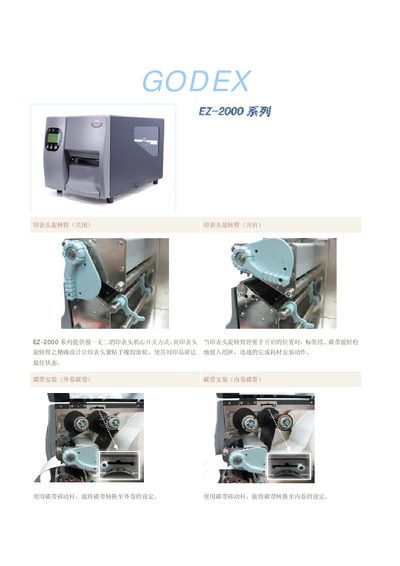
EZ-2000 Series Label Printer User Manual
The EZ-2000 series provides a unique printhead switching mechanism that allows easy loading of label paper and ribbon. The printhead arm locks in the open position for printing and aligns tightly with the rubber roller to ensure high print quality. Consumables such as the ribbon can be installed in either external or internal winding configurations using the ribbon moving lever.
The series supports multiple data interfaces—including PS‑2, USB, serial, and parallel ports—and features a large back‑lit LCD display for clear information. Different models target various applications: the EZ‑2100 and EZ‑2200 are designed for high‑speed, large‑volume labeling, while the EZ‑2300 focuses on precision labeling with higher resolution. This manual is written in Chinese.
Covers: Printhead Operation · Consumable Installation · Interface Options · Model Variants · Specifications · LCD Display
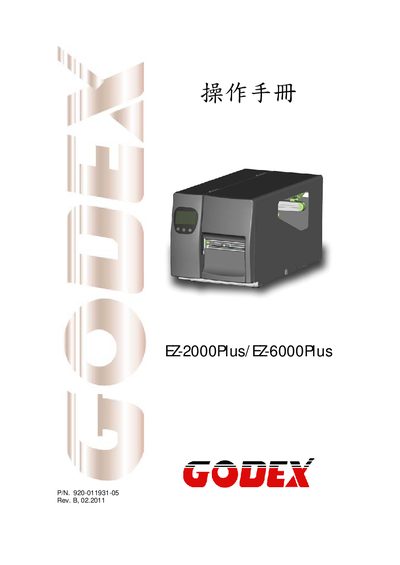
Godex EZ-2000Plus / EZ-6000Plus User Manual
This manual covers safety instructions, FCC and EMC compliance statements, and proper handling of the EZ-2000Plus/EZ-6000Plus label printers. Users are advised to keep the equipment away from humidity, verify voltage before connecting, and only allow qualified service personnel to perform repairs.
Technical specifications such as power requirements, operating temperature, print resolution, speed, media dimensions, and supported 1‑D and 2‑D barcode symbologies are listed, along with information on printer languages, serial and USB interfaces, and media handling.
Covers: Safety Instructions · FCC Compliance Statement · EMC Compliance Statement · Technical Specifications · Printer Language · Bar Code Support
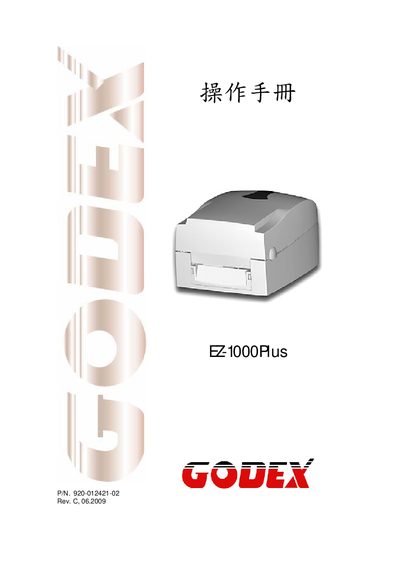
EZ-1000Plus User Manual
This manual covers essential safety instructions, including keeping the device away from humidity, checking power voltage, and ensuring only qualified personnel perform service work. It also details the components supplied with the printer and outlines the installation of consumables such as ribbons and label paper.
The document includes full product specifications, communication port details, configuration settings, maintenance tasks, troubleshooting tips, and regulatory compliance information for the EZ-1000Plus barcode printer.
Covers: Safety Instructions · Product Specifications · Communication Port Specifications · Installation Guide · Operation Settings · Maintenance and Calibration
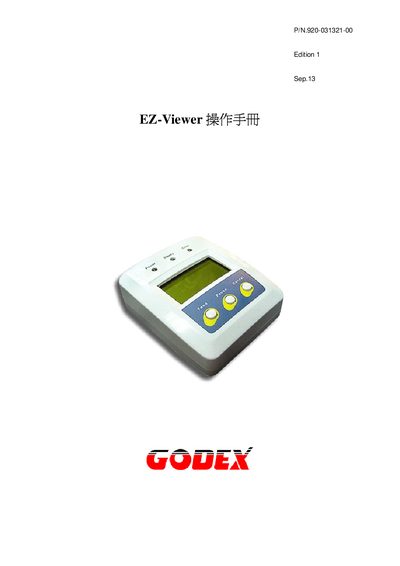
GODEX EZ-Viewer User Manual
The EZ-Viewer is a compact 8‑bit CPU based viewer with a 128 × 64 dot LCD, RS‑232C interface and optional PS/2 keyboard. It is designed for use in commercial or industrial environments where a small visual display and simple control functions are required.
The manual covers compliance statements, hardware specifications, power‑up indicators, key functions such as Pause, Feed and Cancel, connector details, and troubleshooting tips. Users can refer to the sections for setup, operation, and maintenance of the device.
Covers: FCC Compliance Statement · EMC Compliance Statement · Hardware Specifications · LCD Display · CPU and Memory · Power Indicators
Latest GODEK manuals
GODEX EZPi-1000 Manual
This manual introduces the features and characteristics of the EZPi-1000 product, including FCC and EN55022 related certification information
GODEX EZ-1105/EZ-1305 Manual
This manual introduces the features and use of EZ-1105/EZ-1305 products.
GODEX EZ-2000Plus/EZ-6000Plus Manual(1)
This is the user manual for EZ-2000Plus/EZ-6000Plus device
GODEX EZ-1000WIN Manual
EZ-1000WIN is a thermal transfer barcode printer that can be used for both thermal and thermal transfer printing. It can hold up to 5 inches (125mm) of label paper and up to 300 meters of carbon tape.
EZ-2000 Series Label Printer User Manual
User Manual 5 pages · 341 KB · ZHThe EZ-2000 series label printer manual explains operation, consumable installation, interface options, and specifications for EZ-2100, EZ-2200, and EZ-2300…
Godex EZ-2000Plus / EZ-6000Plus User Manual
User Manual 69 pages · 3.5 MB · ENThe Godex EZ-2000Plus and EZ-6000Plus printer manual provides safety guidelines, compliance info, specifications, and barcode support details.
GODEX EZ-1000 Plus Manual
EZ-1000Plus User Manual
User Manual 45 pages · 2.5 MB · ENThe EZ-1000Plus user manual provides safety guidelines, specifications, installation steps, operation instructions, and maintenance procedures for the…
GODEX EZ-Viewer User Manual
User Manual 19 pages · 1020 KB · ENThe GODEX EZ-Viewer User Manual provides operating instructions, specifications, and safety information for the EZ-Viewer device.
EZ-2100/EZ-2200/EZ-2300 Programming Manual
Programming Manual 33 pages · 745 KB · ZHThis manual explains the EZPL command language and programming commands for the EZ-2100/EZ-2200/EZ-2300 label printers.
GODEX EZPi-1000/1200/1300 Manual
GODEX EZ-4TTP/4TKP solutions manual
GODEX EZgo-C4 Manual
User Manual 34 pages · 1021 KB · ZHThe Godex C4 user manual provides operating instructions, interface details, and regulatory notices for the EZgo C4 label printer.
Godes EZ-DT-2/EZ-DT-4 User Manual
User Manual 45 pages · 4.9 MB · ENUser manual for the Godes EZ-DT-2/EZ-DT-4 barcode scanner covering safety, connections, specifications and barcode symbologies.
GODEX EZ-1200/1300 solutions manual
- 1
- 2
Which document do I need?
User Manual
Day-to-day operation, settings and troubleshooting. Start here if the product is already set up.
Programming Manual
Instruction set, parameters and examples for configuring or programming the device.
Questions answered in GODEK manuals
How do you install the ribbon on the EZ-2000 series printer?
Use the ribbon moving lever to set the ribbon for either external or internal winding.
What is the maximum print speed of the EZ-2100 and EZ-2200 models?
Both models can print up to 6 inches per second.
What are the power requirements for the EZ-2000Plus/EZ-6000Plus printers?
The printers operate from a universal AC input of 100‑240 V at 50‑60 Hz.
What safety precautions should be followed when using the EZ-1000Plus?
Keep the equipment away from humidity, verify the power voltage matches the outlet, disconnect power during thunderstorms, avoid liquid contact, and only allow qualified service personnel to open or repair the device.
From: EZ-1000Plus User Manual
How can I download a graphic image to the printer?
Use the command ~Ea, name, length where the name is the graphic file (PCX or BMP) and length specifies the data size.
How can I set the label width for printing?
Use the ^Rx command with a value between 1 and 104 mm to define the label width.