
Key facts
- Brand
- FlowLine
- Model
- DL10, DL14, DL24
- Category
- Industrial Supply
- Industry
- Industrial
- Documents
- 2
- Languages
- PT · EN
- Last added
- 2026-11-06
Start here
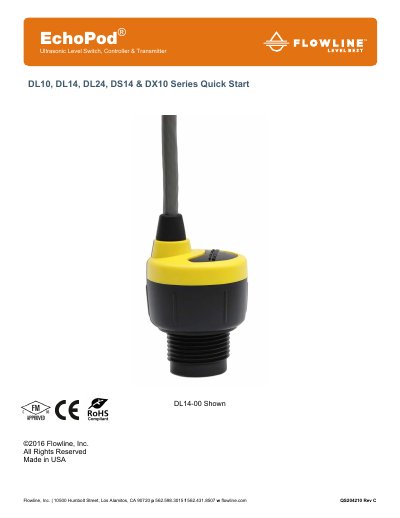
Flowline EchoPod DL10/DL14/DL24/DS14/DX10 Series Quick Start Guide
This document serves as a quick start guide for the Flowline EchoPod DL10, DL14, DL24, DS14, and DX10 series ultrasonic level switches, controllers, and transmitters. It provides essential instructions for mounting the sensor, configuring it via the WebCal software, and performing electrical wiring for various series.
Read onlineFlowline DL10, DL14, DL24 specifications
| Relay Configuration | 4 relés SPST |
|---|---|
| Protection Class | IP68 |
| Probe Material | PVDF |
Source: Flowline EchoPod DL10/DL14/DL24 Ultrasonic Level Sensor Catalog
All Flowline DL10, DL14, DL24 documents by type
Day-to-day operation, settings and troubleshooting. Start here if the product is already set up.
Questions answered in these manuals
How is the EchoPod configured?
The EchoPod is configured using the WebCal software via a USB interface.
From: Flowline EchoPod DL10/DL14/DL24 Ultrasonic Level Sensor Catalog
Can the EchoPod be configured without the Fob?
No, the EchoPod cannot be configured without the Fob USB interface and WebCal software.
From: Flowline EchoPod DL10/DL14/DL24 Ultrasonic Level Sensor Catalog
What software is required to configure the EchoPod?
The EchoPod is configured through WebCal, a PC software program.
From: Flowline EchoPod DL10/DL14/DL24/DS14/DX10 Series Quick Start Guide
Is a USB Key Fob required for configuration?
Yes, a LI99-1001 Fob is required to interface to WebCal and configure the sensor.
From: Flowline EchoPod DL10/DL14/DL24/DS14/DX10 Series Quick Start Guide