
Key facts
Start here
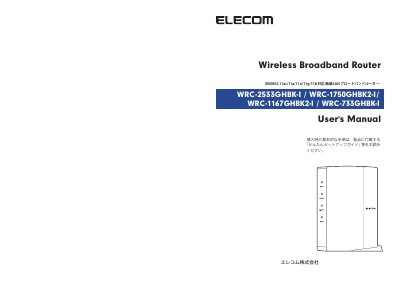
ELECOM IEEE802.11ac/11n/11a/11g/11b Wireless LAN Broadband Router User Manual
This is the Japanese user's manual for the ELECOM WRC-2533GHBK-I, WRC-1750GHBK2-I, WRC-1167GHBK2-I, and WRC-733GHBK-I wireless LAN broadband routers. It states that basic setup steps are in the included quick setup guide, while this manual provides detailed settings and important safety information.
The extracted pages cover terminology, safety warnings and cautions, and notes on wireless LAN use, including a prohibition on outdoor use of W52/W53 channels and on use outside Japan. The manual is copyright ELECOM Corporation and notes that specifications may change without notice. This manual is written in Japanese.
ELECOM WRC-733GHBK-I specifications
| Default Username | admin |
|---|---|
| Default Password | admin |
| Default LAN IP Address | 192.168.2.1 |
| DHCP Server Function | Valid |
| Default Encryption System | WPA2-PSK (AES) |
All ELECOM WRC-733GHBK-I documents by type
Day-to-day operation, settings and troubleshooting. Start here if the product is already set up.
Questions answered in these manuals
Which router models are covered by this manual?
The manual covers the WRC-2533GHBK-I, WRC-1750GHBK2-I, WRC-1167GHBK2-I, and WRC-733GHBK-I wireless LAN broadband routers.
From: ELECOM IEEE802.11ac/11n/11a/11g/11b Wireless LAN Broadband Router User Manual
Where are the basic setup instructions?
Basic setup instructions are provided in the included quick setup guide, not in this manual.
From: ELECOM IEEE802.11ac/11n/11a/11g/11b Wireless LAN Broadband Router User Manual
How do I reset the product to factory default values?
Press the Reset button for more than 10 seconds until the POWER lamp blinks.
What are the default login credentials?
The default username and password are both 'admin'.