
Key facts
- Brand
- Elecom
- Model
- WTC-1167HWH
- Category
- Wireless connection
- Documents
- 2
- Languages
- JA
- Last added
- 2023-10-18
Start here
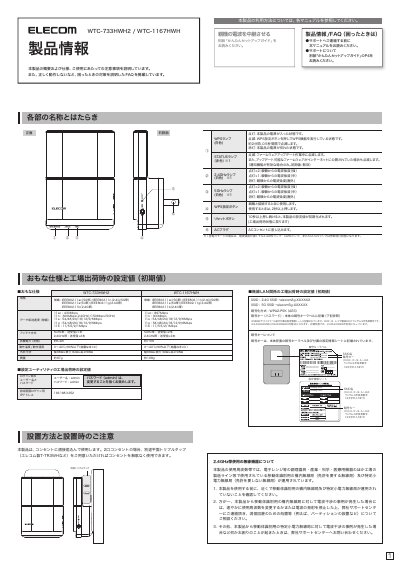
ELECOM WTC-733HWH2/WTC-1167HWH Wireless Repeater User Manual
This document serves as the user manual for the ELECOM WTC-733HWH2 and WTC-1167HWH wireless repeaters. It details the product's features, including LED indicator meanings and factory default settings for SSID and passwords. The guide also explains the physical installation process, such as connecting the AC power plug, and provides safety precautions for safe operation. This manual is written in Japanese.
Read onlineELECOM WTC-1167HWH specifications
| Wireless Standard | IEEE802.11ac/11n/11a/11g/11b |
|---|---|
| Max Data Transfer Speed (WTC-1167HWH) | 867Mbps (11ac) / 300Mbps (11n) |
| Max Data Transfer Speed (WTC-733HWH2) | 433Mbps (11ac) / 300Mbps (11n) |
| Encryption Method | WPA2-PSK (AES) |
| Power Consumption | Approx. 6.4W (WTC-733HWH2) / 7.5W (WTC-1167HWH) |
| Operating Temperature | 0-40C |
| Dimensions | 68mm x 30mm x 98mm |
| Weight | Approx. 97g (WTC-733HWH2) / 108g (WTC-1167HWH) |
Source: Wireless router WTC-733HWH2/WTC-1167HWH WTC-1167HWH-D/WTC-F1167AC Instruction Manual
All ELECOM WTC-1167HWH documents by type
Day-to-day operation, settings and troubleshooting. Start here if the product is already set up.
Questions answered in these manuals
What is the factory default password?
The default password is 'admin'. It is recommended to change this setting.
From: ELECOM WTC-733HWH2/WTC-1167HWH Wireless Repeater User Manual
Why can't I connect to the internet?
Check if the device is powered on, ensure the wireless function is on, and verify the IP address is set to 'Automatic'. If issues persist, move the repeater closer to the main router.
From: ELECOM WTC-733HWH2/WTC-1167HWH Wireless Repeater User Manual
How do I reset the router to factory settings?
Press and hold the WPS setting button for more than 10 seconds.
From: Wireless router WTC-733HWH2/WTC-1167HWH WTC-1167HWH-D/WTC-F1167AC Instruction Manual
What are the default SSID and password?
Check the encryption key label on the back of the device and the included setup information sheet.
From: Wireless router WTC-733HWH2/WTC-1167HWH WTC-1167HWH-D/WTC-F1167AC Instruction Manual