
Key facts
- Brand
- Elecom
- Model
- TK-FDM105T
- Category
- Other Computer Accessories
- Documents
- 2
- Languages
- JA
- Last added
- 2023-10-18
Start here
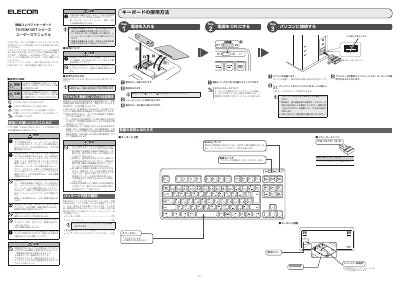
ELECOM TK-FDM105T Series Wireless Compact Keyboard User Manual
This manual provides instructions for the ELECOM TK-FDM105T series wireless compact keyboard. It covers how to turn the power on and off, connect the receiver unit to a computer, and use the keyboard functions. It also explains the standby mode behavior where the keyboard automatically returns to standby after a period of inactivity. This manual is written in Japanese.
Read onlineELECOM TK-FDM105T specifications
| Wireless Frequency Band | 2.4GHz |
|---|---|
| Modulation Method | GFSK |
| Interference Distance | 10m |
| Battery Type | AAA Alkaline, AAA Carbon, or AAA NiMH |
Source: ELECOM TK-FDM105T Series Wireless Compact Keyboard User Manual
All ELECOM TK-FDM105T documents by type
Day-to-day operation, settings and troubleshooting. Start here if the product is already set up.
Questions answered in these manuals
What happens when there is no input for a certain time?
The keyboard automatically returns to standby mode.
From: ELECOM TK-FDM105T Series Wireless Compact Keyboard User Manual
What should you do if the keyboard gets wet?
Stop using it immediately, remove the receiver unit, and take out the batteries.
From: ELECOM TK-FDM105T Series Wireless Compact Keyboard User Manual
How do I connect the keyboard to my computer?
Insert the USB receiver into any USB port on your computer. The keyboard will automatically install drivers and become ready to use.
From: ELECOM TK-FDM105T Wireless Compact Keyboard User Manual
What type of batteries does this keyboard use?
It uses AA alkaline, manganese, or NiMH rechargeable batteries.
From: ELECOM TK-FDM105T Wireless Compact Keyboard User Manual