
Key facts
- Brand
- Elecom
- Model
- M-XT3DR
- Documents
- 2
- Languages
- EN
- Last added
- 2026-10-29
Start here
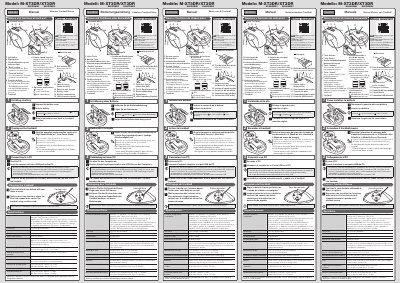
ELECOM M-XT3DR/XT3DR Wireless Trackball Mouse User Manual
This manual provides instructions for the ELECOM M-XT3DR/XT3DR Wireless Trackball Mouse. It details how to install batteries, turn on the device, and connect the receiver unit to a PC via USB. The document explains the two operating modes: Low Power Mode and High Speed Mode, noting that the latter offers better tracking for fast movements but shorter battery life. It also includes safety warnings regarding the optical sensor and USB connector.
Read onlineELECOM M-XT3DR specifications
| Resolution | 750/1500 dpi (switchable) |
|---|---|
| Interface | USB |
| Radio frequency | 2.4 GHz band |
| Radio wave method | GFSK modulation |
| Radio wave outreach (non-magnetic) | approx. 10 m |
| Radio wave outreach (magnetic) | approx. 3 m |
| Operating temperature | 5°C to 40°C |
| Storage temperature | -10°C to 60°C |
| Battery type | AA alkaline, AA manganese, or AA NiMH |
| Continuous operating time (Low Power Mode) | approx. 125 hours |
| Continuous operating time (High Speed Mode) | approx. 76 hours |
Source: ELECOM M-XT3DR/XT3DR Wireless Trackball Mouse User Manual
All ELECOM M-XT3DR documents by type
Day-to-day operation, settings and troubleshooting. Start here if the product is already set up.
Questions answered in these manuals
What are the two operating modes?
The two modes are Low Power Mode and High Speed Mode. High Speed Mode improves tracking for fast movements but reduces battery life.
From: ELECOM M-XT3DR/XT3DR Wireless Trackball Mouse User Manual
Which operating systems are supported?
The mouse supports Windows 10, 8.1, RT8.1, 7, Vista, and Macintosh OS X 10.10.
From: ELECOM M-XT3DR/XT3DR Wireless Trackball Mouse User Manual
What are the operation modes?
The mouse has a high-speed mode (H) for faster tracking and a low-power mode (L) to extend battery life.
What is the product number of the ELECOM M-XT3DR?
The product number is M-XT3DR.