
Key facts
- Brand
- Elecom
- Model
- WRC-1167GEBK-S
- Documents
- 2
- Languages
- JA · ZH
- Last added
- 2023-10-18
Start here
ELECOM WRC-1167GEBK-S Wireless Router User Manual
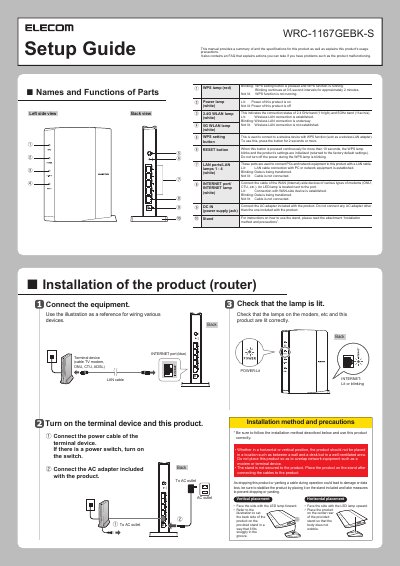
This manual provides step-by-step instructions for installing and configuring the ELECOM WRC-1167GEBK-S wireless router. It includes guidance on proper placement, connecting cables and power, and setting up wireless connections using a smartphone or PC. The document also explains LED indicators for status and troubleshooting, and includes a reset procedure for factory defaults.
Configuration steps are provided for Windows, Mac, iOS, and Android devices, including entering SSID and encryption key details. The manual also covers accessing the router’s web interface and handling common setup issues such as failed automatic configuration or connection problems. This manual is written in Japanese.
All ELECOM WRC-1167GEBK-S documents by type
Day-to-day operation, settings and troubleshooting. Start here if the product is already set up.
Questions answered in these manuals
How do I connect the router to power?
Connect the AC adapter included with the product. Do not use any other AC adapter.
How do I reset the router to factory defaults?
Press and hold the RESET button on the back of the product for 10 seconds or more.
How do I reset the router settings?
Press and hold the Reset button on the back of the unit for more than 10 seconds.
What does the WPS indicator mean when flashing?
It indicates that the WPS function is being executed.