
Key facts
- Brand
- EDIFIER
- Model
- C2XD
- Category
- Home Speakers
- Documents
- 2
- Languages
- ZH · EN
- Last added
- 2023-11-11
Start here
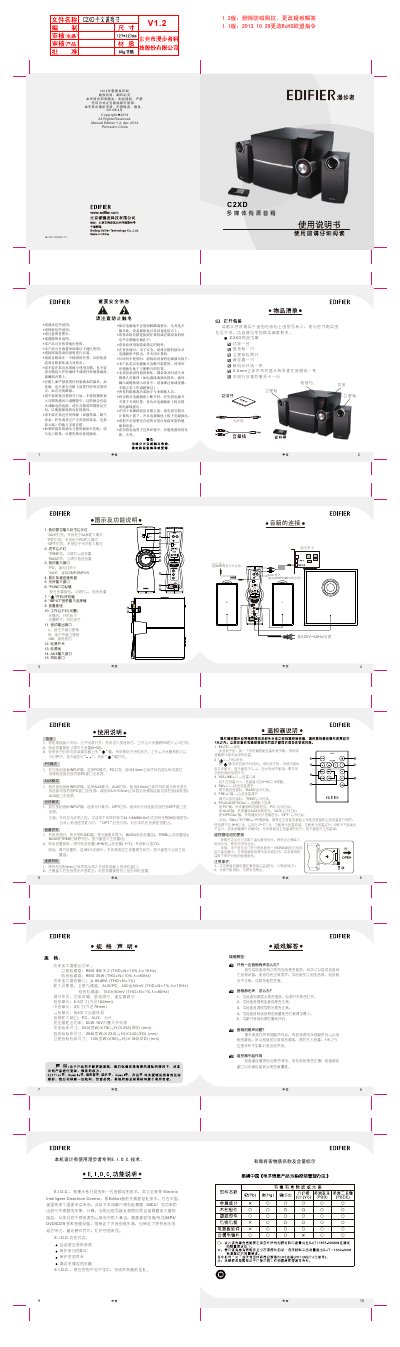
Edifier C2XD Multimedia Active Speaker System User Manual
This user manual covers the Edifier C2XD multimedia active speaker system, which includes an amplifier unit, a subwoofer, and two satellite speakers. It provides connection diagrams, control descriptions, operating instructions for PC, AUX, and Optical input modes, and remote control functions.
The document also includes safety precautions, a packing list, technical specifications, and troubleshooting guidance for common issues such as no sound, one-sided audio, and remote control problems. This manual is written in Chinese.
Edifier C2XD specifications
| Amplifier output power (satellite channels) | RMS 9W x 2 (THD+N=10%, f0=1KHz) |
|---|---|
| Amplifier output power (subwoofer channel) | RMS 35W (THD+N=10%, f0=80Hz) |
| Signal-to-noise ratio | ≥ 85dBA (THD+N=1%) |
| Input sensitivity (satellite channels, AUX/PC) | 450±50mV (THD+N=1%, f0=1KHz) |
| Input sensitivity (subwoofer channel) | 150±50mV (THD+N=1%, f0=80Hz) |
| Woofer unit | 6.5 inches (outer diameter 166mm) |
| Midrange unit | 3 inches (outer diameter 78mm) |
| Tweeter unit | 3/4 inch silk dome |
| Audio input ports | PC, AUX, Optical |
| Transformer output power | 60W 18V |
| Amplifier dimensions | 250(W) x 78(H) x 255(D) mm |
| Subwoofer dimensions | 288(W) x 232(H) x 242(D) mm |
| Satellite speaker dimensions | 130(W) x 90(H) x 180(D) mm |
Source: Edifier C2XD Multimedia Active Speaker System User Manual
All Edifier C2XD documents by type
Day-to-day operation, settings and troubleshooting. Start here if the product is already set up.
Questions answered in these manuals
How do I switch between audio input modes?
Press the INPUT button on the amplifier front panel to select PC, AUX, or Optical (OPT) mode. The corresponding indicator light will illuminate.
From: Edifier C2XD Multimedia Active Speaker System User Manual
What should I do if only one speaker produces sound?
First check that the connections between speakers are secure. Then try connecting a different audio source to determine whether the issue is with the original source.
From: Edifier C2XD Multimedia Active Speaker System User Manual
How do I adjust the bass and treble?
Press the FUNC button on the front panel to access adjustments, then turn the master volume dial to set the levels.
What happens when the system detects distortion?
The power light will blink once, and the system volume level will decrease one step.