
Key facts
- Brand
- EDIFIER
- Model
- S2000V
- Category
- Other Electronics
- Industry
- Appliances
- Documents
- 3
- Languages
- EN · ZH
- Last added
- 2026-10-19
Start here
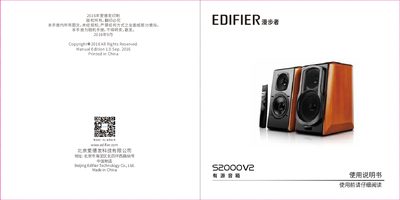
Edifier S2000V2 Active Speaker User Manual
The Edifier S2000V2 is an active speaker system designed for indoor use. The package includes a main unit, a subwoofer (sub-box), a remote control, power cables, and audio input cables (3.5mm-2RCA and optical/coaxial). Before operation, users must ensure all components are present and follow the safety warnings regarding ventilation, moisture, and heat sources. This manual is written in Chinese.
Read onlineEdifier S2000V specifications
| Amplifier output power | 2 channels, RMS 40Wx2 (fo=1kHz, THD=10%) |
|---|---|
| Signal to noise ratio | >=90db |
| Frequency response | 20Hz-20KHz |
| Bass driver size | 5.5 inch, HSCC composite paper cone |
| Tweeter type | 1 inch, silk dome |
| Driver impedance | 6 Ohm |
All Edifier S2000V documents by type
Day-to-day operation, settings and troubleshooting. Start here if the product is already set up.
Questions answered in these manuals
How long does it take for the speakers to break in?
Allow up to a week for temperature stabilization and about 20 hours of average music use for mechanical parts to attain design properties.
What causes noise or hiss in the speakers?
Noises may be caused by poor quality sound sources; ensure the source is unplugged when testing to isolate the issue.
What is the default playback mode when the speaker turns on?
The speaker defaults to the CLASSIC 'Classic Playback Mode' after turning on or switching audio sources.
What is the Bluetooth PIN code for this speaker?
When establishing a Bluetooth connection, you must enter '0000' as the PIN code.
How should the speaker cables be connected?
Connect the red terminals of the main and sub speakers together, and the black terminals together, making sure no short circuit occurs.
Why is there noise from only one speaker when the system powers on?
The S2000v includes an in‑rush‑current suppression feature; a single‑speaker click at power‑on is normal and not a fault.