
Key facts
- Brand
- Actron
- Model
- CP7677
- Industry
- Industrial
- Documents
- 3
- Languages
- FR · ES · EN
- Last added
- 2012-06-05
Start here
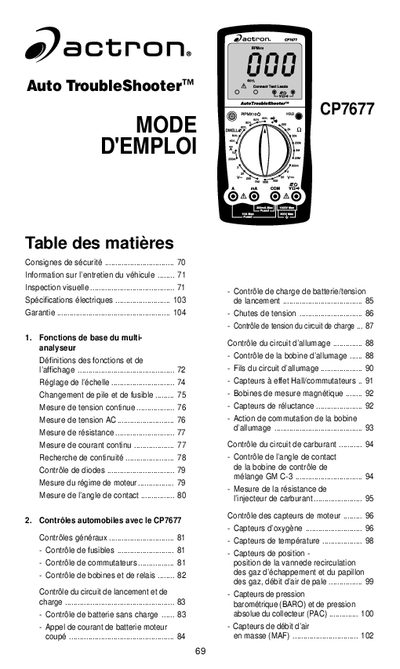
Actron CP7677 Auto Troubleshooter User Manual
This document is the French user manual for the Actron CP7677 Auto Troubleshooter. It provides detailed instructions on how to use the device's various measurement functions, including DC voltage, AC voltage, resistance, current, RPM, dwell angle, and continuity checks.
The guide also covers specific automotive diagnostic applications using the CP7677, such as testing fuses, switches, coils, relays, battery circuits, ignition systems, fuel injectors, oxygen sensors, temperature sensors, and various engine position sensors. It includes a comprehensive section on vehicle maintenance inspection procedures. This manual is written in French.
Actron CP7677 specifications
| DC Voltage Range | 0 to 1000V |
|---|---|
| Resistance Range | 0.1 Ω to 20MΩ |
| AC Voltage Range | 0 to 750V |
| DC Current Range | 0 to 10A |
All Actron CP7677 documents by type
Day-to-day operation, settings and troubleshooting. Start here if the product is already set up.
Questions answered in these manuals
What safety precaution is required regarding exhaust gases?
Always operate the vehicle in a well-ventilated area and do not breathe exhaust fumes as they are very toxic.
What should be done if the low battery symbol appears on the screen?
Replace the internal 9V battery.
What does the interval setting mean on the multimeter?
The interval refers to the maximum value that can be measured by the multimeter with the rotary switch in that position.
What should I do if '1' or '-1' appears on the screen?
This indicates an excessive interval; you must increment the range until a valid value is displayed.
What battery is required for this multimeter?
A new 9 Volt battery must be installed before using the digital multimeter.
From: Actron CP7677 Auto Troubleshooter Operating Instructions
What type of fuse is used for replacement?
Use a 1/4" x 1-1/4", 10A, 250V, fast acting fuse or a 5mm x 20mm 315mA, 250V fast acting fuse.
From: Actron CP7677 Auto Troubleshooter Operating Instructions