
Key facts
Start here
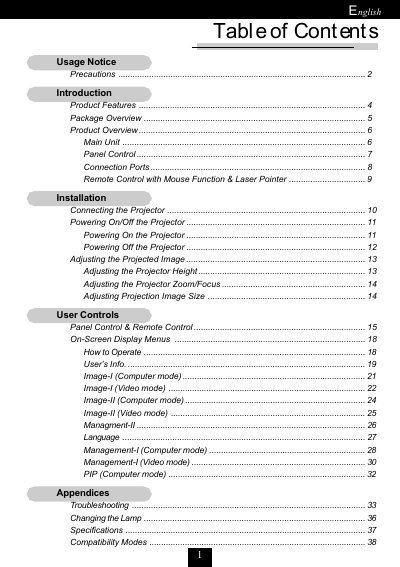
Acer XGA Single Chip 0.7" DLP Projector User Manual
This document is the user guide for an Acer XGA single chip 0.7" DLP projector featuring PureProgressive processing technology and a full-function remote with mouse control. The manual covers safety precautions, package contents, and detailed installation steps including connecting power and video cables (DVI, VGA, S-Video).
Read onlineACER XGA single chip 0.7 DLP specifications
| Resolution | 1024 x 768 pixels |
|---|---|
| Display Technology | Single chip DLP |
| Lamp Power | 250 Watts |
| Power Consumption | 360 watts |
| Weight | 6.6 lbs (3.0 kgs) |
Source: Acer XGA Single Chip 0.7" DLP Projector User Manual
All ACER XGA single chip 0.7 DLP documents by type
Day-to-day operation, settings and troubleshooting. Start here if the product is already set up.
- Acer XGA Single Chip 0.7" DLP Projector User Manual 38 p
- Acer XGA Single Chip DLP Projector User Manual 34 p
- Acer XGA Single Chip 0.7 DLP Projector User Manual 33 p
- Acer XGA Single Chip 0.7" DLP Projector User Manual 32 p
- Acer XGA Single Chip 0.7" DLP Projector User Manual 27 p
- Acer XGA Single Chip 0.7 DLP Projector User Manual 27 p
Questions answered in these manuals
What are the safety precautions for using this projector?
Do not look into the lens as the bright light may hurt your eyes, and do not expose the product to rain or moisture.
From: Acer XGA Single Chip 0.7" DLP Projector User Manual
When should I change the lamp?
You should change the lamp when it shows warning messages on the projector.
From: Acer XGA Single Chip 0.7" DLP Projector User Manual
How long must I wait before changing the lamp?
You must allow the unit to cool down for at least 30 minutes before changing the lamp.
How long must the projector cool down before replacing the lamp?
You must allow the projector to cool down for at least 30 minutes before changing the lamp.
What are the safety precautions for the projector?
Do not look into the lens when the lamp is on, do not expose the product to rain or moisture, and do not open or disassemble the product.
How do I reset the lamp hour counter after replacing the lamp?
Reset the 'Lamp Hour Reset' function from the On Screen Display 'Management' menu.