
This Wavecom IoT Gateway Startup Guide explains SIM insertion, antenna and power connection, Ethernet ports, startup, reset, local access, configuration…
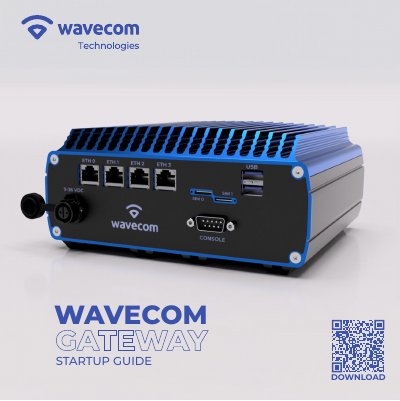
This startup guide covers the initial setup of the Wavecom IoT Gateway. It describes how to insert Nano SIM cards, connect antennas, attach the DC power supply, and use the Ethernet ports.
It also explains the startup LED behavior, reset button operation, local web access with default credentials, basic configuration options, and connection to the Wavecom IoT Manager platform.
| SIM card slots | Up to two (SIM 0 and SIM1) |
|---|---|
| Antenna connectors | SMA or RP-SMA |
| Input DC voltage | 9 to 36V |
| Minimum power | 25W |
| Ethernet ports | Four ports |
| Default web URL | https://10.20.0.1 |
| Default username | admin |
| Default password | wavesys |
Connect a computer to an Ethernet LAN port or to the WiFi SSID “wavecomconfig”, then open https://10.20.0.1 in a browser using user admin and password wavesys.
The default password is wavesys, and Wavecom strongly recommends changing it after the first login.
Press the reset button lightly with a thin metal pin through the hole to perform a hardware reset.