
User manual for the Wangde Communication WD-735 multi‑function telephone with caller ID, detailing features, installation, operation and troubleshooting.
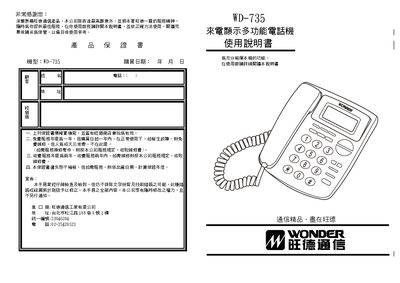
The WD‑735 is a multi‑function telephone that displays incoming caller numbers, time and date on a large LCD screen. It stores up to 120 incoming numbers, 35 dialed numbers with timestamps, and provides quick‑dial, VIP and memory functions.
The manual covers safety and installation guidelines, LCD brightness adjustment, clock setting, call handling, and a fault‑troubleshooting guide. It also explains the meaning of LCD symbols and how to configure regional code removal for proper call‑back. This manual is written in Chinese.
| Incoming call memory capacity | 120 numbers |
|---|---|
| Dialed call memory capacity | 35 numbers with timestamps |
| Stored phone number memory | 10 numbers |
| VIP number slots | 10 numbers |
| LCD brightness levels | 5 levels |
It can store up to 120 incoming call numbers.
Press and hold the down‑query key for about 3 seconds, then use the up or down query keys to select one of the five brightness levels.
Check that the handset and transmission line are properly connected and not broken, then reconnect or replace the line.
Hold the delete key for 3 seconds to clear the entire memory.