
This manual covers the operation, installation, and troubleshooting for the TAKSTAR DA-239 window talk-back system used in banks and other service windows.
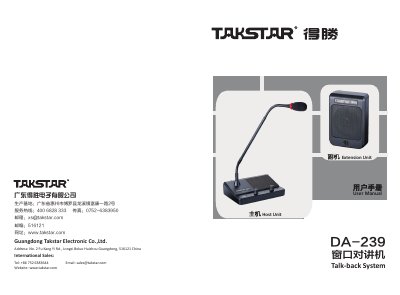
The TAKSTAR DA-239 is a window talk-back system designed for environments requiring clear communication across a glass barrier, such as bank teller windows, ticket offices, and hospital reception desks. The system features duplex voice intercom technology with automatic noise suppression, anti-echo circuits, and adjustable volume controls for both the internal host unit and the external extension unit. It ensures clear, loud audio with high voice resolution to facilitate effective communication between staff and customers. This manual is written in Chinese.
| Operating Voltage | DC 12V / 1A |
|---|---|
| Peak Output Power | 2 X 5W |
| Frequency Response | 100Hz-12KHz |
| Speaker Impedance | 4Ω |
| Host Unit Weight | 580g |
| Extension Unit Weight | 220g |
| Host Unit Dimension | 179.7×129.8×56.5mm |
| Extension Unit Dimension | 117.8×83.7×38.9mm |
The ideal distance for speaking into the microphone is less than 20cm to ensure clear audio transmission.
You can solve uncontinuous sound by decreasing the speaker volume, keeping closer to the microphone, or turning off the speaker switch of the extension unit.
This product is suitable for non-tropical climate application.