
The manual provides setup, operation, specifications and safety instructions for the Star Micronics SP320-2 dot‑matrix printer.
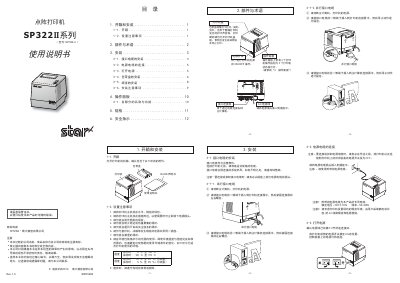
This user manual covers everything needed to get the Star Micronics SP320-2 dot‑matrix printer up and running. It includes step‑by‑step instructions for unboxing, installing interface and power cables, loading the ribbon cartridge and paper, and operating the control panel.
The document also lists the printer’s technical specifications, environmental limits, and safety warnings to ensure reliable and safe use in a variety of work environments. This manual is written in Chinese.
| Printing method | 18‑pin dot matrix |
|---|---|
| Printing speed | ≈3.2 lines/second |
| Dimensions (W×D×H) | 175 mm × 202 mm × 174 mm |
| Weight | ≈2.9 kg |
| Paper type | Plain or carbon‑less folded paper |
| Paper width | 89.0 ± 0.5 mm (3.5 in) |
| Paper thickness (single) | 0.07 mm – 0.10 mm |
| Ribbon model | RC300B (black) |
| Interface | Serial and parallel ports |
| Input voltage | 220 V ± 10 % (50/60 Hz) |
| Operating temperature | 0 °C to +50 °C |
| Storage temperature | -20 °C to +70 °C |
| Operating humidity | 10 % to 90 % RH (non‑condensing) |
The printer can operate in temperatures from 0 °C up to +50 °C.
The printer supports both serial and parallel interface cables.