
Quick Start Guide for the Sony ICD-UX543F/UX544F IC recorder, covering charging, power, initial setup, recording, playback and file transfer.
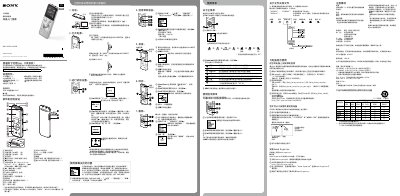
This Quick Start Guide introduces the Sony ICD-UX543F/UX544F IC recorder and explains the basic steps to get the device up and running. It covers charging the built‑in lithium‑ion battery, turning the unit on and off, setting the clock and beep, and using the main recording and playback functions.
The guide also describes how to connect the recorder to a computer via the USB slide lever, copy files, install the optional Sound Organizer software, and change settings such as language and screen‑off timer. Safety precautions for handling the device and battery are included. This manual is written in Chinese.
| Dimensions (W × H × D) | 36.6 mm × 101.5 mm × 10.5 mm |
|---|---|
| Rated current consumption (adapter) | 1500 mA |
| Operating voltage | 3.7 V DC (built‑in rechargeable battery) |
Press BACK/HOME, go to Settings → Language, then select the desired language (e.g., 简体中文 or English) and confirm.