
This user manual covers the operation, features, and troubleshooting for the Smart CK25-FBF smart bracelet, including heart rate, blood pressure, and sleep…
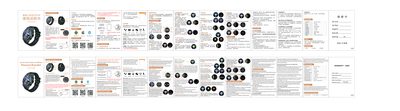
This document is the user guide for the Smart CK25-FBF smart bracelet. It provides instructions on how to charge the device, wear it correctly, and connect it to the FitcloudPro mobile application. The guide details the various monitoring functions available, such as heart rate, blood pressure, blood oxygen, and sleep analysis, as well as notification settings for calls and messages.
The manual also includes troubleshooting steps for common issues like Bluetooth connection failures and data synchronization problems. Technical specifications are listed, including the screen size, battery capacity, and supported operating systems for the companion app. This manual is written in Chinese.
| Screen | 1.3 inch IPS |
|---|---|
| Resolution | 240x240 dpi |
| Battery Capacity | 180mAh |
| Compatible OS | iOS 8.2+ / Android 4.4+ |
| Warranty | One year |
Connect the magnetic end of the charging cable to the bracelet's charging port and insert the USB end into a standard 5V USB interface.
Press and hold the power button for more than three seconds until the device vibrates to turn it on.
The device needs to collect a signal for a longer period of time to accurately calculate your heart rate.
Yes, it is suitable for washing hands, rain, cold water showers, and car washing, but should not be used in high-pressure environments.