
VD-101 is a VGA to DVI converter that converts analog signals from a computer to digital image signals for easy display on a digital monitor or projector. It uses PanelLink digital technology, complies with the DVI 1.0 standard, and supports a maximum display resolution of up to UXGA.
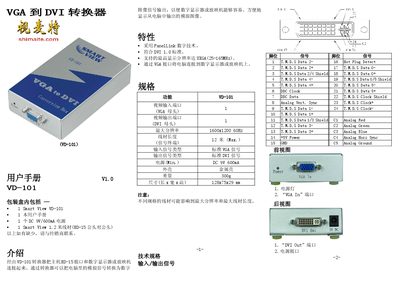
The Smart VD-101 converts a computer's VGA output to a digital DVI signal, allowing connection to digital monitors or projectors. It complies with the DVI 1.0 standard and supports up to UXGA resolution.
The manual covers unpacking, wiring, power connection, installation steps, switch settings for sharpness, horizontal, vertical and clearance adjustments, as well as technical specifications such as input/output types, power requirements, dimensions and weight. This manual is written in Chinese.
| Output signal type | Standard DVI |
|---|---|
| Weight | 300 g |
| Dimensions (L×W×H) | 128 mm × 75 mm × 29 mm |
Use the sharpness switch (SW1) to increase or decrease the setting until the displayed text and lines are clear.