
User guide for the EFM8BB3-SLSTK2022A Busy Bee Starter Kit, covering hardware setup, peripherals, power supply, debugging, and kit manager.
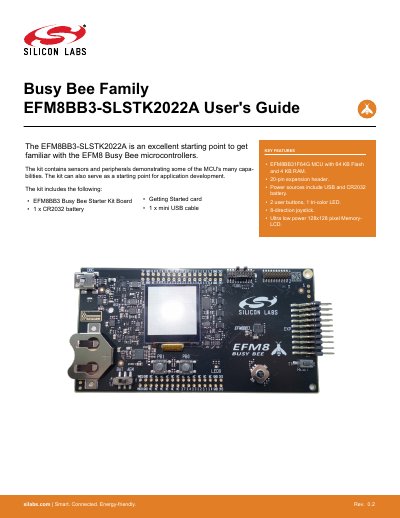
The EFM8BB3-SLSTK2022A is a starter kit for the EFM8 Busy Bee microcontroller family. It includes an EFM8BB31F64G MCU with 64 KB Flash and 4 KB RAM, a 128x128 pixel Memory LCD, an 8-direction joystick, two user buttons, a tri-color LED, and a 20-pin expansion header. Power can be supplied via USB, a CR2032 coin cell, or an external source selected by a slide switch.
The guide explains hardware setup, block diagram, board layout, MCU pin connections, power supply and reset options, peripheral details (buttons, LEDs, joystick, display), breakout pads and expansion header, debugging modes (MCU, In, Out), and kit manager operations including firmware upgrades using Simplicity Studio.
| MCU | EFM8BB31F64G (64 KB Flash, 4 KB RAM) |
|---|---|
| Expansion header | 20-pin |
| Power sources | USB, CR2032 battery, external |
| User buttons | 2 (PB0 on P0.2, PB1 on P0.3) |
| Tri-color LED | Active-low on P1.4, P1.5, P1.6 |
| Joystick | 8-direction analog on P1.7 (ADC) |
| Display | 1.28-inch 128x128 pixel SHARP Memory LCD |
| Debug modes | MCU, In, Out |
Three modes: Debug MCU (on-board debugger to kit MCU), Debug In (external debugger to kit MCU), and Debug Out (on-board debugger to external EFM8 device).
Use Simplicity Studio which checks for updates on startup, or use Kit Manager to browse and install a .emz package file.
A 1.28-inch SHARP Memory LCD with 128x128 pixel resolution, reflective monochrome, no backlight needed.