
Plustek ePhoto Z300 Quick Start Guide

Quick start guide for the Plustek ePhoto Z300 scanner covering unpacking, connection, software installation, calibration, scanning, and troubleshooting.
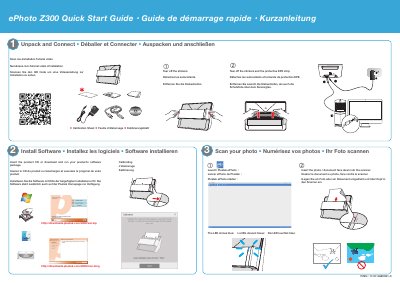

Plustek ePhoto Z300 Quick Start Guide - cover page
Brand
Plustek
Category
Scanner
Document type
Quick Start Guide
Language
English
Pages
2
File format
PDF
File size
5.4 MB
Published
16 November, 2026
Updated
16 November, 2026
Model
Z300
MD5 checksum
9AE4F9117964EAE120EFA3359A687BEB

About this manual

This quick start guide explains how to unpack and connect the Plustek ePhoto Z300, install its software, calibrate the scanner, and scan photos.

It also covers troubleshooting incorrect scanned colors, scanning without the software interface, and technical support contact information.

What's inside

  • Unpack and Connect
  • Install Software
  • Calibrating
  • Scan your photo
  • Software
  • Troubleshooting
  • Non-UI Scan
  • Technical Support

Frequently asked questions

What should I do if scanned image colors are incorrect?

Clean the scanner and calibrate the scanner.

How can I scan photos without previewing each image?

Check “Scan and save directly to” and select the destination folder in the Preferences dialog.

Where can I download the Plustek ePhoto Z300 software?

Insert the product CD or download it from http://downloads.plustek.com/z300/win.zip or http://downloads.plustek.com/z300/mac.dmg.

Download PDF (5.4 MB)

More Plustek Manuals


View all Plustek manuals →