
Pelco VideoXpert Professional Power2 Series Server Quick Start Guide

This guide provides instructions for preparing, connecting, and configuring the Pelco VideoXpert Professional Power2 Series server, including initial setup…
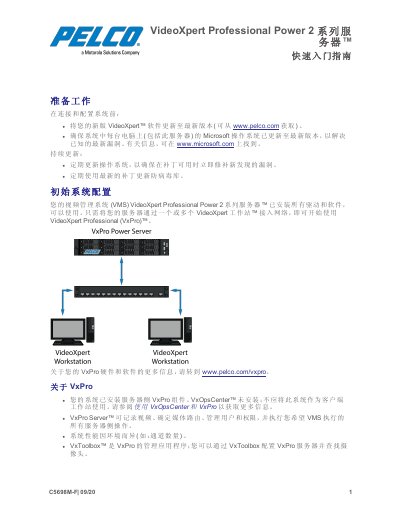

Pelco VideoXpert Professional Power2 Series Server Quick Start Guide - cover page
Brand
Pelco
Category
Servers Computer
Document type
Quick Start Guide
Language
Chinese
Pages
5
File format
PDF
File size
390 KB
Published
16 October, 2026
Updated
16 October, 2026
MD5 checksum
B9A52C7E81D7A182A11425C4C8CBF04E

About this manual

This document is a Quick Start Guide for the Pelco VideoXpert Professional Power2 Series server. It covers essential preparation steps, such as updating software and operating systems, before connecting and configuring the system. The guide details how to physically install the server in a rack, connect power and network cables, and power on the unit. This manual is written in Chinese.

What's inside

  • Preparation
  • Initial System Configuration
  • Locating Connections
  • Setting Up Your System
  • VxPro Introduction
  • Using VxOpsCenter and VxPro

Frequently asked questions

What is the default Windows username for logging into the server?

The default username to log in is 'Pelco'.

What is the default password for the initial login?

The default password is 'Pel2899100'.

How long is the trial period for VxPro software after starting the system?

You get a 60-day trial version of the VxPro software.

Download PDF (390 KB)

More Pelco Manuals


View all Pelco manuals →