
Netgear R7500 Nighthawk X4 AC2350 wireless router installation guide covering hardware connection, internet setup, wireless settings, and the Netgear Genie app.
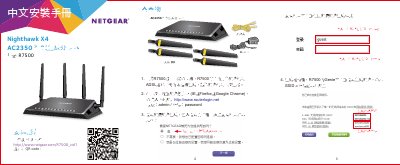
This is the Traditional Chinese installation guide for the Netgear Nighthawk X4 AC2350 smart wireless router, model R7500. It explains how to connect the router to power, a modem, and a computer, and how to access the setup page at routerlogin.net.
The guide also covers internet connection setup, wireless network configuration, and use of the Netgear Genie app for settings such as wireless settings, guest access, parental controls, and router reboot. It includes package contents, an installation video link, Taiwan 5G channel notes, and regulatory safety information. This manual is written in Chinese.
| Model | R7500 |
|---|---|
| Antennas | 4 |
| 5G wireless channels | 149 / 151 / 153 / 157 / 161 |
| Recommended distance from body | 20cm |
The yellow network port on the back connects to the ADSL or fiber modem.
The default username is admin and the default password is password.
Go to routerlogin.net, open Basic > Wireless Settings, change the SSID and password, then click Apply.
The commonly used 5G channels are 149, 151, 153, 157, and 161.