
iPega PG-9021 Classic Bluetooth Gamepad user manual covering Android, iOS and Windows connection, charging, sleep and troubleshooting.
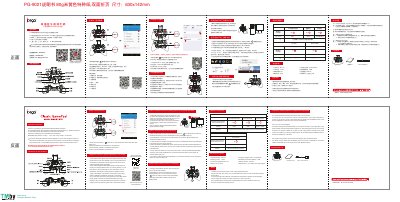
iPega PG-9021 is a classic Bluetooth gamepad for Android, iOS and Windows devices. The manual explains pairing and connection methods for Android, iOS and PC, including USB cable and Bluetooth options, plus charging, sleep/wake behavior and button mapping.
It also lists electrical parameters, recommended games, accessories, notes and frequently asked questions. The gamepad supports multimedia buttons and can be used with smartphones, tablets, smart TVs, TV boxes, VR and PCs. This manual is written in Chinese.
| Working voltage | DC3.7V |
|---|---|
| Working current | 30 mA |
| Static current | <35uA |
| Charging voltage/current | DC5V/500mA |
| Bluetooth transmission distance | ≤8M |
| Battery capacity | 380mAh |
| Standby time | up to 30 days once fully charged |
| Sleep timeout | 5 minutes |
Turn off and ignore the previously connected device, reopen Bluetooth, and if needed press the RESET button on the back of the gamepad for 5 seconds before reconnecting.
Recharge the gamepad before first use or after long storage, and check that the charge indicator lights while charging.
Press the RESET button on the back of the gamepad for 5 seconds, and avoid touching wrong buttons during Bluetooth pairing.
Because of iOS protocol limitations, iOS games need to be downloaded within the game platform, where games are adapted to the gamepad.