
iPega PG-9089 Bluetooth gamepad user manual with setup, button functions, power specs and troubleshooting.
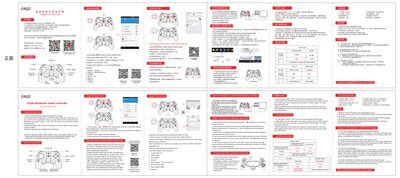
This manual explains how to pair the iPega PG-9089 Bluetooth gamepad with Android, iOS and Windows devices, describes the button layout, Turbo and mouse modes, and provides usage tips. It also covers charging, power management and safety precautions.
The document includes electrical specifications, detailed pairing steps for Bluetooth and USB connections, and a FAQ section that answers common connection and operation problems. This manual is written in Chinese.
| Working voltage | DC3.7V |
|---|---|
| Working current | 35 mA |
| Continuous usage time | 6 h |
| Static current | <35 µA |
| Charging voltage / current | DC5 V / 500 mA |
| Bluetooth transmission distance | ≤8 m |
| Battery capacity | 300 mAh |
| Standby time | up to 30 days |
Because iOS system authorization limits the games, only certain iCade‑compatible games work with the controller.
Turn off and forget any previously paired device, then restart Bluetooth and, if needed, press the reset hole with a needle for 5 seconds.
Recharge the gamepad first; if the indicator does not light, try a different cable or press the reset hole with a needle for 5 seconds.