
This manual covers the iPega PG-SW038 wireless game controller, detailing connections to N.S/P3/Android/PC, programming functions, and battery specifications.
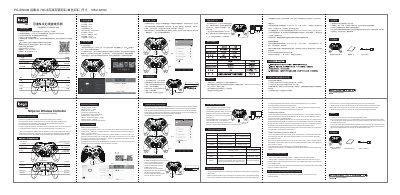
The iPega PG-SW038 is a wireless game controller compatible with Nintendo Switch (N-S), P3 consoles, Android devices, and Windows 7 or later computers. It features ergonomic design, six-axis motion sensing, and a built-in turbo function for rapid button presses.
The device supports extensive programming capabilities via four side buttons (S1-S4) that can be mapped to standard game keys or combinations. Users can also customize these buttons to have memory functions that persist across sleep or shutdown cycles. This manual is written in Chinese.
| Working Voltage | DC3.7V |
|---|---|
| Input Voltage/Current | DC5V/500mA |
| Charging Time | About 3 hours |
| Bluetooth Version | BT3.0 |
| Transmission Distance | ≤8M |
| Battery Capacity | 400mAh |
| Continuous Operation Time | >8H |
| Stand-by Time | 30 days after fully charged |
Connect via USB cable, then press and hold the HOME button for 3 seconds to switch modes. The LED will flash twice before staying on.
It takes approximately 3 hours to fully charge the battery.