
The GE G100 digital camera user manual provides safety rules, setup steps, operation guides, connection options, and troubleshooting tips.
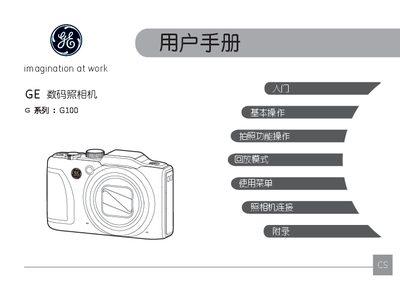
This manual introduces the GE G100 digital camera, covering safety precautions, battery and memory‑card handling, and basic preparation before use. It also details the camera’s menu system, shooting modes, and image‑processing features.
Later sections explain how to connect the camera to HDMI displays, PictBridge printers, and computers, as well as providing a full specifications table and a troubleshooting guide for common issues such as power problems, blurry images, and storage‑card errors. This manual is written in Chinese.
| Effective Pixels | 14.41 MP |
|---|---|
| Total Pixels | 15.40 MP |
| Lens Focal Length | 5.0 mm – 75.0 mm (35 mm equivalent 28 mm – 420 mm) |
| Maximum Aperture | F3.9 – F5.6 |
| Optical Zoom | 15× |
| Digital Zoom | 6× (combined 90× with optical) |
| Image Stabilization | CMOS移动补偿式 |
| Video Recording | 1080p30, 720p60, 720p30, VGA, QVGA |
Turn the camera off, remove the battery and memory card, and let the camera dry for up to 24 hours before using it again.
The battery may be depleted or not installed correctly; replace or reinstall the battery.