
This guide provides quick start instructions for the Garmin HDS-8/8m and HDS-10/10m units, covering function keys, page navigation, sonar settings, and…
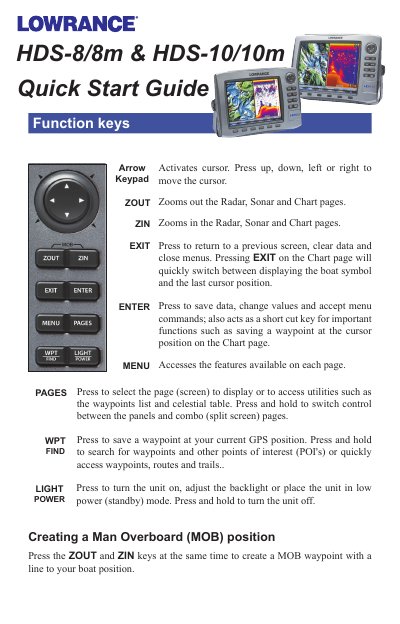
This document serves as a Quick Start Guide for the Garmin HDS-8/8m and HDS-10/10m marine electronics units. It details the operation of function keys such as ZOUT, ZIN, EXIT, ENTER, MENU, PAGES, and LIGHT POWER, explaining their roles in zooming, navigating, saving data, and adjusting display settings. The guide also covers how to access softkey features and manage panel sizes on combo pages.
Press the ZOUT and ZIN keys at the same time to create a MOB waypoint with a line to your boat position.
Press the PAGES key to adjust the backlight or place the unit in low power (standby) mode.