
This user manual covers the operation, technical parameters, and installation of the Euchips DALI-P02 touch panel controller for lighting control.
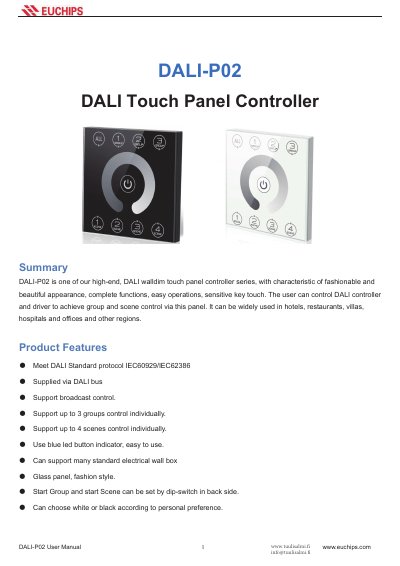
The Euchips DALI-P02 is a high-end wall-mounted touch panel controller designed to manage DALI controllers and drivers. It features a fashionable glass design with sensitive key touches and supports up to 3 groups and 4 scenes of individual control via broadcast commands or specific group selections.
Operation includes turning the panel on/off, adjusting brightness using a touch ring (5% to 100%), and recalling pre-configured scenes. The device is powered by a DALI bus signal and allows users to configure start group IDs and scene IDs using dip-switches located on the back of the unit.
| Output Signal | DALI signal (Group/Scene/broadcast) |
|---|---|
| Input Voltage | 16VDC±5% |
| Current | 8mA |
| Dimension | 86*86*10mm (L*W*H) |
| Working Temperature | -10℃ ~ 60℃ |
The controller supports up to 3 groups control individually and up to 4 scenes control individually.
You can touch the ring to adjust brightness; clockwise turns increase it and anti-clockwise reduces it.
The start group ID and start scene ID can be set by dip-switches located on the back side of the controller.