
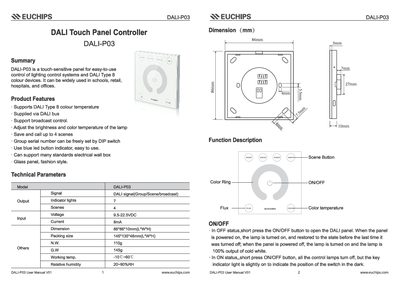
The DALI-P03 is a touch‑sensitive panel for controlling DALI lighting systems. It supports DALI Type 8 colour temperature, broadcast control, and can store up to four scenes. The panel features a blue LED button indicator, a glass front, and DIP‑switch configurable group IDs.
The manual explains how to adjust brightness and colour temperature by rotating the touch ring, how to save and recall scenes, and provides step‑by‑step installation instructions for mounting the controller in an electrical box and connecting the wiring.
| Model | DALI-P03 |
|---|---|
| Signal | DALI signal (Group/Scene/broadcast) |
| Output Indicator Lights | 7 |
| Scenes | 4 |
| Voltage | 95‑22.5 VDC |
| Dimension (L×W×H) | 86 mm × 86 mm × 10 mm |
| Packing Size (L×W×H) | 145 mm × 135 mm × 48 mm |
| Working Temperature | -10 °C to +30 °C |
| Relative Humidity | 20 %–90 % RH |
Touch the ring and turn clockwise to increase brightness or anti‑clockwise to decrease; the range is 5 % (darkest) to 100 % (brightest).
The controller can store up to four scenes, which can be recalled by briefly pressing the SCENE button.
The colour temperature can be set between 3000 K (minimum) and 6000 K (maximum).
The group ID is set with the DIP switch; the selectable range is 0 to 15.