
Key facts
- Brand
- EUCHIPS
- Model
- DALI-P02
- Industry
- Appliances
- Documents
- 2
- Languages
- EN
- Last added
- 2026-10-26
Start here
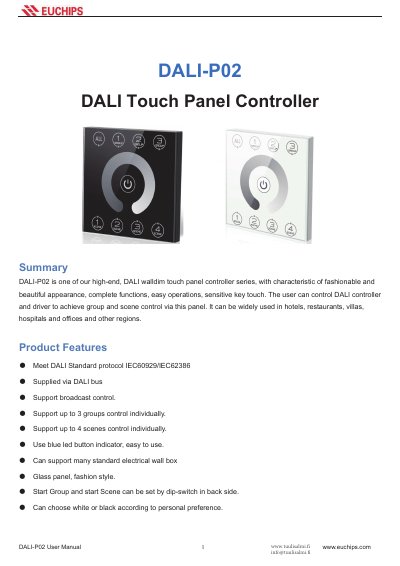
Euchips DALI-P02 DALI Touch Panel Controller User Manual
The Euchips DALI-P02 is a high-end wall-mounted touch panel controller designed to manage DALI controllers and drivers. It features a fashionable glass design with sensitive key touches and supports up to 3 groups and 4 scenes of individual control via broadcast commands or specific group selections.
Operation includes turning the panel on/off, adjusting brightness using a touch ring (5% to 100%), and recalling pre-configured scenes. The device is powered by a DALI bus signal and allows users to configure start group IDs and scene IDs using dip-switches located on the back of the unit.
Euchips DALI-P02 specifications
| Output Signal | DALI signal (Group/Scene/broadcast) |
|---|---|
| Input Voltage | 16VDC±5% |
| Current | 8mA |
| Dimension | 86*86*10mm (L*W*H) |
| Working Temperature | -10℃ ~ 60℃ |
Source: Euchips DALI-P02 DALI Touch Panel Controller User Manual
All Euchips DALI-P02 documents by type
Day-to-day operation, settings and troubleshooting. Start here if the product is already set up.
Questions answered in these manuals
What is the maximum number of groups and scenes supported?
The controller supports up to 3 groups control individually and up to 4 scenes control individually.
From: Euchips DALI-P02 DALI Touch Panel Controller User Manual
How do I adjust the brightness?
You can touch the ring to adjust brightness; clockwise turns increase it and anti-clockwise reduces it.
From: Euchips DALI-P02 DALI Touch Panel Controller User Manual
What standard protocol does the DALI-P02 meet?
It meets the DALI Standard protocol IEC60929/IEC62386.
From: Euchips DALI-P02 DALI Touch Panel Controller User Manual
How many groups and scenes can be controlled individually?
The controller supports up to 3 groups and 4 scenes control individually.
From: Euchips DALI-P02 DALI Touch Panel Controller User Manual