
Operating instructions for the ERSA ERSASCOPE 2 optical inspection system, covering setup, technical data, operation, fault diagnosis, maintenance and…
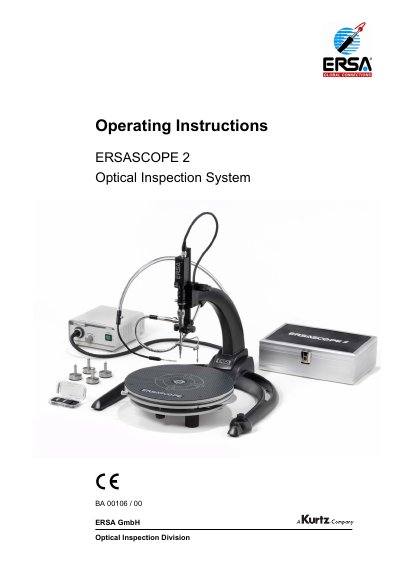
ERSA ERSASCOPE 2 is an optical inspection system family for visual inspection tasks, including standard video microscopy, top-view inspection, and inspection of concealed elements. The manual covers scope of delivery, first-time setup, operation, fault diagnosis, maintenance, and accessories.
Technical data include environmental limits, stand dimensions, power supply, MiniXenon light source, optical systems, inspection camera, and XY inspection tables. Exchangeable heads include 0°, 90°, and flip-chip versions for different inspection needs.
| Operating temperature | 0 to 40 °C |
|---|---|
| Air humidity | 0 to 80% |
| Stand width | approx. 500 mm |
| Stand depth | approx. 520 mm |
| Stand height | approx. 400 mm |
| Stand total weight | approx. 5 kg |
| Power supply input voltage | 90 - 264 V~ , 50/60 Hz |
| Power supply output voltage | 12 V - / 1.3 A |
| Power supply weight | approx. 200 g |
| MiniXenon light source voltage/power | 220 V - 240 V~, 50 Hz, 50 W or 100 V -120 V~, 60 Hz, 50 W |
| MiniXenon fuse | 1.0 A -T at 230 V, 5 x 20 mm, delayed action; 2.0 A -T at 115 V, 5 x 20 mm, delayed action |
| MiniXenon class of protection | BF |
| MiniXenon weight | approx. 2.5 kg |
| Spare illuminant | 24 W / 24V |
| Basic unit overall length | approx. 155 mm |
| Basic unit weight | approx. 170 g |
| Basic unit principle | endoscopic-optical system |
| Basic unit measurement scale | approx. 4x 360° subdivided along the perimeter |
| 0° head focal range | 3 - ∞ mm |
| 0° head image angle | approx. 38° |
| 0° head footprint | 6 mm |
| 90° head focal range | 0 - ∞ mm |
| 90° head image angle | approx. 23° |
| 90° head footprint | 3.0 x 6.0 mm |
| Flip chip head focal range | 0 - ∞ mm |
| Flip chip head image angle | approx. 23° |
| Flip chip head footprint | 1.5 x 4.5 mm |
| TV zoom adapter overall length | approx. 66 mm |
| TV zoom adapter weight | approx. 70 g |
| TV zoom adapter focal range | 25 mm - 40 mm |
| TV zoom adapter connection | M12x1 at input, C mount at output |
| MACROZOOM max. imaging scale | 0.084 – 0.84 |
| MACROZOOM aperture adjustment | F 5.6 – 32C |
| MACROZOOM focus adjustment | 180 – 450 mm |
| MACROZOOM filter thread | M46 x P0.7 |
| MACROZOOM dimensions | diameter 48 mm, length 98.5 mm |
| MACROZOOM working distance | 138 mm - 450 mm |
| MACROZOOM connection | C-mount |
| Inspection camera type | CCD color inspection camera |
| Inspection camera standard | NTSC / PAL |
| Inspection table size | circular base plate with anti-static mat, diameter 320 mm |
| Inspection table weight | approx. 5 kg |
| Inspection table sliding distance | approx. ± 40 mm in each direction |
| Inspection table rotational angle | 360° with 90° indexing |
| Inspection table height | approx. 80 mm |
| Oversize table size | approx. 600 x 700 mm, with antistatic mat |
| Oversize table height | approx. 90 mm |
| Oversize table weight | approx. 10 kg |
| Oversize table sliding distance X | approx. ± 280 mm |
| Oversize table sliding distance Y | approx. ± 150 mm and up to approx. ± 300 mm with pull-out unit |
The operating temperature range is 0 to 40 °C.
It is used for inspections of concealed solder joints with a gap height of typically 100µm - 1500µm, as on BGAs.
It uses a CCD color inspection camera with NTSC or PAL standard.
Warranty claims are accepted only if devices or components are returned in the original packaging.