
Delta DOP-100 Series HMIs feature a Cortex-A8 processor, high-brightness display, and advanced network functions like FTP and VNC for industrial 4.0…
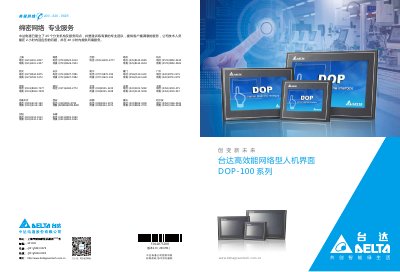
The Delta DOP-100 Series High-Performance Network Human Machine Interfaces (HMI) are designed for the industrial 4.0 era, featuring a new generation Cortex-A8 high-speed processor and a high-brightness, high-contrast, color display screen. These devices provide a vibrant operation interface suitable for various industrial applications. This manual is written in Chinese.
| Processor | ARM Cortex-A8 (800MHz) |
|---|---|
| Display Colors | 65,536 colors |
| Touch Panel | 4-wire resistive, >10,000,000 presses |
| Network Interface | 1 Port, 10/100 Mbps Auto-sensing |
| Operating Temperature | 0°C ~ 50°C |
| Panel Waterproof Rating | IP65 / NEMA4 |
The device supports up to 15 country language input methods, including English, Simplified Chinese, Traditional Chinese, French, German, Russian, Japanese, Spanish, Portuguese, Hindi, Turkish, Arabic, Persian, Italian, and Polish.
Yes, it supports VNC Server for remote monitoring and operation via VNC Client APP on different OS platforms, and FTP Server for updating recipe data or backing up historical data.
The backlight lifespan is 10,000 hours for the 4.3" model and 30,000 hours for the 7" and 10.1" models.