
TAP-CP01 is a power supply distribution box launched by Delta. The product adopts an open-type design and can be installed in places without airborne dust, humidity, electric shock, and vibration. TAP-CP01 can supply power to DeviceNet, and has functions such as connecting DeviceNet cables, connecting power supplies, and connecting fuses.
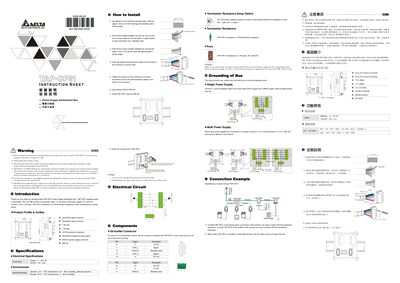
The TAP-CP01 is an open‑type power supply distribution box designed for DeviceNet networks. It supplies 24 VDC power, includes two 7.5 A fuses, and a selectable 121 Ω termination resistor.
This manual covers safety precautions, mechanical installation on a DIN rail, wiring of power and signal cables, configuration of the termination switch and fuses, and guidelines for single‑ or multi‑power‑supply networks. It also lists electrical and environmental specifications.
| Power Input Voltage | 11 ~ 25 V DC |
|---|---|
| Maximum Current | 7.5 A |
| Termination Resistance | 121 Ω |
| Fuse Rating | Two 7.5 A fuses (EF1, EF2) |
| Operating Humidity | 50 % ~ 95 % |
| Pollution Degree | 2 |
The DeviceNet branch cable must not exceed 6 m in length.
TAP-CP01 uses two 7.5 A fuses, identified as EF1 and EF2.
Only one earth (ground) point is permitted in the entire network.