
User manual for the CF‑IDE converter that lets you read Compact‑Flash cards via an IDE interface.
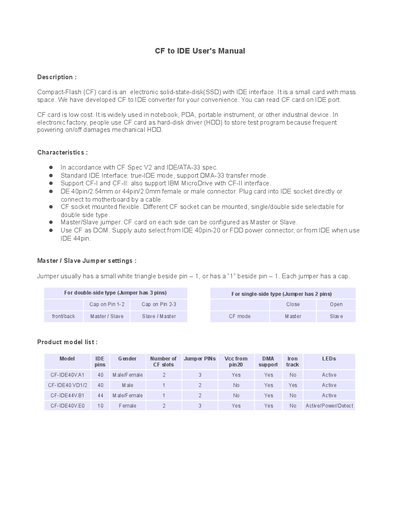
The CF‑IDE converter provides a bridge between Compact‑Flash (CF) cards and standard IDE ports. It supports both CF‑I and CF‑II cards, including IBM MicroDrive, and can be used as a Disk‑On‑Module (DOM) with automatic power selection.
The device offers selectable master/slave jumper settings, flexible CF socket mounting, and comes in several models (CF‑IDE40V.A1, CF‑IDE40VD1/2, CF‑IDE44V.B1, CF‑IDE40V.E010) with different connector types and slot counts.
| IDE pins | 40‑pin or 44‑pin |
|---|---|
| Number of CF slots | 1 |
| Jumper PINs | 2 or 3 pins depending on type |
| Vcc source | pin20 |
| DMA support | Yes |
Place the jumper cap on pins 1‑2 for Master, 2‑3 for Slave (single‑side) or use the three‑pin configuration for double‑side units.
The converter is offered with a 40‑pin 2.54 mm connector (male or female) or a 44‑pin 2.0 mm connector.
Yes, the device can operate as a DOM and automatically selects power from the IDE 40‑pin‑20 or FDD connector.
All listed models (CF‑IDE40V.A1, CF‑IDE40VD1/2, CF‑IDE44V.B1, CF‑IDE40V.E010) support the standard IDE DMA‑33 mode.