
Internet setup guide for the Buffalo WSR-1166DHP3 router, covering wiring, manual IP configuration, and DNS settings.
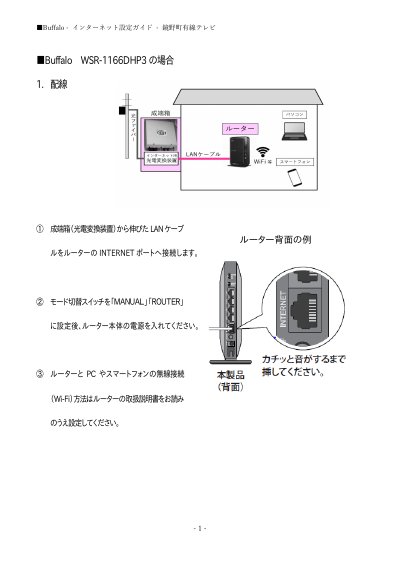
This guide explains internet setup for a Buffalo WSR-1166DHP3 router for Kagamino Town Cable TV service. It covers wiring the router to the terminal box and configuring the connection through a browser.
The setup uses manual IP address entry and specifies primary and secondary DNS server addresses. It also notes the factory default IP address used to access the router. This manual is written in Japanese.
| Factory default IP address | 192.168.11.1 (except some products) |
|---|
Except for some products, the factory default IP address is 192.168.11.1.
Select manual setting for IP address acquisition.
Enter 202.142.8.130 as the primary DNS server address.
Enter 202.142.8.140 as the secondary DNS server address.