
This manual provides instructions for operating the au IC-Card External Connection Jack, including power control, making calls, managing contacts, and using…
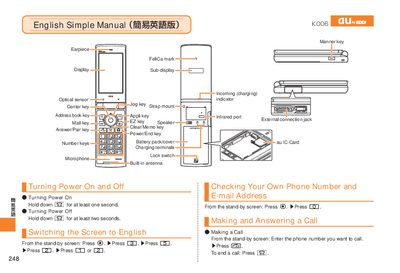
The document is a simple English guide (and includes Chinese) for the au IC-Card External Connection Jack. It details how to turn the device on and off, switch the display language to English, and navigate the stand-by screen. Key functions covered include making and answering calls, storing and recalling address book entries, and setting Manner Mode or Answer Memo. This manual is written in Japanese.
Hold down the Power key for at least one second from the stand-by screen.
From the stand-by screen, press the specific key combination indicated in the diagram (Page 1).