
This manual explains how to operate the au FeliCa IC‑Card earpiece, covering power control, calls, address book, camera functions, and settings.
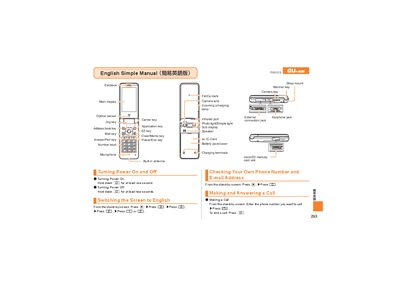
The au FeliCa IC‑Card earpiece is a wearable communication device with built‑in antenna, microSD slot, external earphone jack, and a battery pack. It provides basic phone functions such as making and answering calls, storing address‑book entries, and a camera for movies and snapshots.
The manual details step‑by‑step operations: turning the device on and off, dialing numbers, handling incoming calls, managing address‑book entries, recording movies, taking photos, and configuring features like Manner Mode and Answer Memo. Customer service contact information is also included. This manual is written in Japanese.
| Builtin antenna | present |
|---|---|
| External Earphone jack | present |
| microSD memory slot | present |
| Battery pack/cover | present |
Hold down the power key for at least one second.
From the stand‑by screen, enter the phone number you want to call and press the call key.
Hold down the Manner key for at least one second; repeat to disable.