
Installation guide for ABB SCU100 secondary distribution control unit, covering wiring, configuration, safety warnings, and connection diagrams.
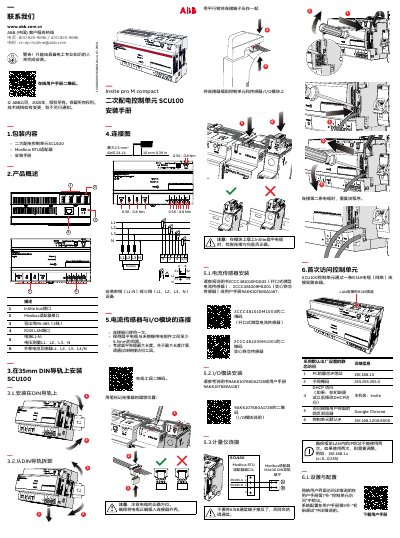
This manual provides step‑by‑step instructions for installing the ABB SCU100 secondary distribution control unit. It includes details on DIN‑rail mounting, wiring of power and measurement cables, and connecting the InSite bus, Modbus RTU adapter, RS‑485 and RJ45 LAN interfaces.
Safety information emphasizes that only qualified electrical personnel may perform the work, power must be disconnected before starting, and the unit should be installed in an enclosure with locked access. The guide also references the default network settings and tools for calculating cable length. This manual is written in Chinese.
| Supply voltage (IEC) | 90‑240 V AC (L1‑N) |
|---|---|
| Supply voltage (UL/CSA) | 80‑277 V AC (L1‑N) |
| Frequency | 50 / 60 Hz |
| Power consumption | 5‑45 VA (depends on sensors/I‑O modules) |
| Operating temperature | -25 °C … +60 °C |
| LAN speed | 100 Mbit/s |
| Modbus RTU baud rate | 2400 … 115200 |
The default IP address is 192.168.1.200:8000.
It includes an InSite bus interface, a Modbus RTU adapter, a 2‑wire RS‑485 port, and an RJ45 LAN port.