
ASD-PU-01B is a digital keypad/display that is compatible with Delta ASDA-B servo products. It has 4 storage units that can store and write parameters in the drive, and provides special function keys (including quick parameter compilation, error reset, parameter storage/write, jogging mode, motor gain dynamic/static adjustment) for easy operation and application.
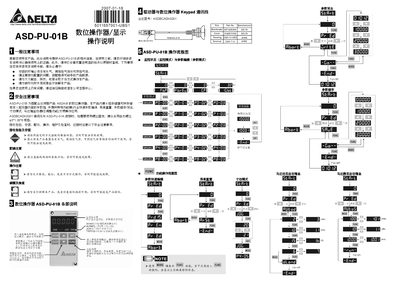
The ASD-PU-01B digital keypad/display is used with Delta ASDA‑B series servo drives. It provides four built‑in memory groups and special function keys for fast parameter editing, reset, jog, and auto‑tuning of servo motor gain.
The manual covers general notes, safety precautions, installation steps, wiring guidelines, operation instructions, and maintenance advice, including recommended communication cable (ASDBCADK0001) and screw specifications. This manual is written in Chinese.
| Memory groups | 4 groups |
|---|---|
| Function keys | MODE, SHIFT, SET, FUNC |
| Communication cable part number | ASDBCADK0001 |
| Cable length | 1000 mm |
| Recommended screw size | φ3*1.06*8 |
The keypad/display contains four built‑in memory groups for storing drive parameters.
A φ3*1.06*8 self‑tapping screw is recommended.