
This document introduces the usage and precautions of CASIO watches, including the need to expose the watch to bright light for charging, avoiding prolonged placement in areas without light, the charging and discharging of the watch's solar battery, the power-saving function of the watch, the timing mode of the watch, and the method of setting time and date.
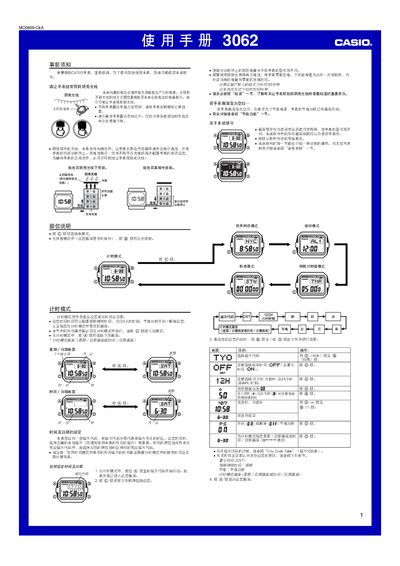
This manual provides step‑by‑step instructions for using the Casio 3062 1MO0609‑CkA solar‑powered watch. It covers initial setup, time and date configuration, alarm, countdown timer, stopwatch, world‑time, lighting, power‑saving, and battery maintenance.
Safety and charging guidelines are included, emphasizing the need to expose the watch to bright light for optimal solar charging and warning about overheating in certain environments. This manual is written in Chinese.
| Charging time in direct sunlight | ≈5 minutes |
|---|---|
| Charging time under indoor fluorescent light | ≈50 minutes |
| Battery life after full charge | ≈13 months |
| Daily illumination duration | 1.5 seconds |
| Daily alarm sound duration | 10 seconds |
| Charging time to raise battery from level 5 to level 4 | 2 hours |
Enter timing mode, hold the A button until the city code flashes, then use the C button to select the item to change and the D/B buttons to adjust values.
In any mode (except the setting screen), hold the B button for about 2 seconds to toggle automatic illumination on or off.
Enter alarm mode, use the D button to select the desired alarm, then hold the A button until the hour digits flash and use the C, D, and B buttons to set the time.
Expose the watch face to bright light as often as possible; the built‑in solar cell stores energy in the rechargeable battery.