
VAX series matrix switch is a high-performance professional video and audio signal switch device, which is used to cross switch multiple video signals and audio signals. It provides independent VGA and audio input and output terminals. Each VGA signal and audio signal is transmitted separately. Independent switching can reduce signal transmission attenuation to the minimum. Image and sound signals can be output with high fidelity. VAX series matrices are mainly used in broadcast television engineering, multimedia conference rooms, large-screen display engineering, television teaching, command and control centers and other occasions. This product has overload power protection, LCD liquid crystal display, video synchronization or separation switching function, and RS-232 and RS-485 communication ports, which can realize remote control.
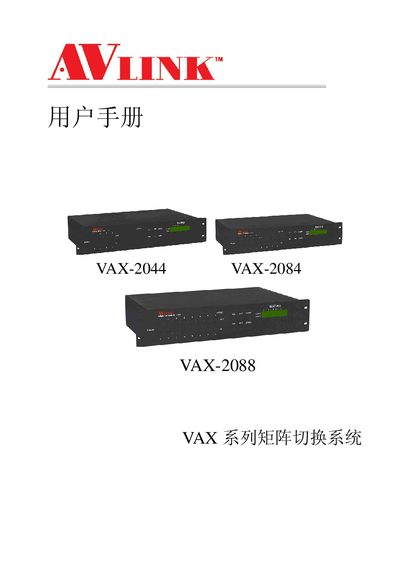
This manual provides a complete guide to the VA X series matrix switch system, including safety notes, installation steps, front and rear panel diagrams, and wiring instructions for video and audio signals. It also describes the control panel functions, remote control methods via RS‑232/RS‑485, and the accompanying application software.
Technical specifications, communication protocol details, and a troubleshooting FAQ are included to help users configure and maintain the VAX‑2044, VAX‑2084, and VAX‑2088 models in broadcast, conference, and control‑center environments. This manual is written in Chinese.
| Video input ports | VAX-2044: 4, VAX-2084: 8, VAX-2088: 8 |
|---|---|
| Video output ports | VAX-2044: 4, VAX-2084: 4, VAX-2088: 8 |
| Audio input ports | VAX-2044: 4, VAX-2084: 8, VAX-2088: 8 |
| Audio output ports | VAX-2044: 4, VAX-2084: 4, VAX-2088: 8 |
| RS‑232 interface | Available on all models |
| RS‑485 interface | Available on all models |
| Video bandwidth | 200 MHz (-3 dB) |
| Switching speed | 50 ns (max) |
| Power supply | 100 VAC~240 VAC, 50/60 Hz |
| Dimensions (L×W×H) | 485 mm × 272 mm × 93 mm |
| Weight | 3150 g |
| Operating temperature | -40 °C to +85 °C |
| Operating humidity | 10 %–90 % |
按 2 秒后再松开按键即可,使切换更灵活。
不要在通电状态下热插拔,更换线路前请先关闭电源。
检查软件设置的通信口是否与设备串口对应,并确认电脑串口正常。
检查电源输入是否接触良好,必要时联系专业维修。