
AVLINK DVI-E2/DVI-E4/DVI-E8 DVI Extender is a device that extends the DVI video signal of the host computer to 2/4/8 monitors up to 30/50 meters away via CAT.5 cable, supporting DVI-D, with a maximum resolution of 1600x1200 60Hz / 1280x1024 60Hz.
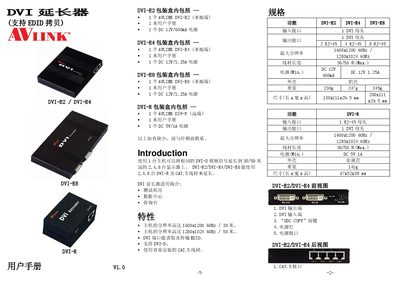
This manual provides an overview of the AVLINK DVI extender family, describing how a single host can extend DVI‑D video signals up to 30 m or 50 m to 2, 4 or 8 displays using CAT‑5 cable. It lists the supported resolutions, EDID copy function and the required power supplies for each model.
Installation instructions cover the initial EDID copy procedure, connection of DVI and CAT‑5 cables, power hookup and startup sequence. The document also includes detailed wiring diagrams, pin assignments and technical specifications for each extender model. This manual is written in Chinese.
| Maximum resolution (DVI‑E2/E4) | 1600x1200 60 Hz |
|---|---|
| Maximum resolution (DVI‑E8/DVI‑R) | 1280x1024 60 Hz |
| Cable length (all models) | 30 m / 50 m (max) |
| Power (DVI‑E2) | DC 12 V 600 mA |
| Power (DVI‑E4/E8) | DC 12 V 1.25 A |
| Power (DVI‑R) | DC 5 V 1 A |
| Weight (DVI‑E2) | 230 g |
| Weight (DVI‑R) | 141 g |
| Dimensions (DVI‑E2) | 130 × 111 × 29.5 mm |
| Dimensions (DVI‑R) | 67 × 52 × 38 mm |
One extender can drive 2, 4 or 8 DVI‑D displays depending on the model (DVI‑E2, DVI‑E4, DVI‑E8).
Connect the extender’s DVI output to the monitor, power the unit, turn on the monitor, then press the “DDC COPY” button; the power LED will flash three times and stay on while the EDID is copied.
A standard CAT‑5 cable is used to connect the extender’s RJ‑45 port to the DVI‑R unit.
The DVI‑R model requires a DC 5 V 1 A power supply.