
EOS Utility User Manual, Introduces the functions and configuration of the software
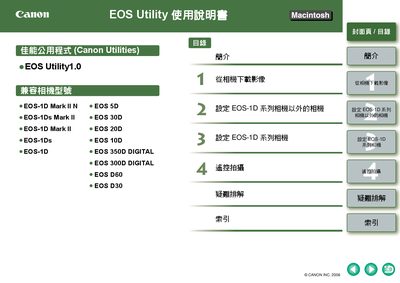
This manual introduces EOS Utility, a software program for transferring images and configuring settings on supported Canon EOS cameras. It covers system requirements, supported operating systems, and the basic workflow for using the program on a Macintosh.
The guide details how to connect cameras via USB or FireWire, download all or selected images, adjust camera and software preferences, and resolve common issues. It also includes an index for quick reference to specific functions such as batch image download and PTP communication settings. This manual is written in Japanese.
| Minimum CPU | PowerPC G3 400 MHz |
|---|---|
| Supported OS | Mac OS X 10.3 or later |
| Supported USB | USB 1.1 – 2.0 Hi‑Speed |
| Supported FireWire | IEEE1394 (FireWire) |
Use the “一次性下載全部影像” function to download all images in a single operation.
The software requires a PowerPC G3 400 MHz CPU, at least 256 MB of RAM, and Mac OS X 10.3 or later.
EOS Utility works with USB 1.1‑2.0 Hi‑Speed and FireWire (IEEE1394) connections.