
Lenovo IdeaPad Y430 Laptop Installation Guide

This is a user manual for a Lenovo laptop computer. It mainly introduces the computer's various functions and usage methods.
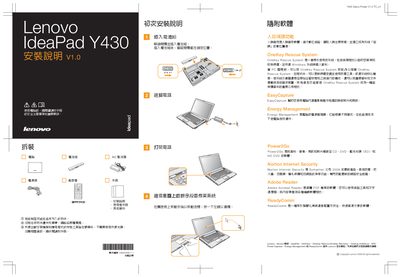

Lenovo IdeaPad Y430 Laptop Installation Guide - cover page
Brand
Lenovo
Category
Laptops
Document type
Installation Guide
Language
Chinese
Pages
2
File format
PDF
File size
698 KB
Published
24 September, 2011
Updated
01 October, 2023
Model
Y430
MD5 checksum
A9F13B7CE8516E47D7A266D72D246418

About this manual

This document is a setup poster for the Lenovo IdeaPad Y430 laptop. It covers initial setup steps such as inserting and locking the battery, connecting power, and following on-screen instructions to set up the operating system, along with package contents and bundled software.

It also identifies multimedia control buttons, function-key combinations, the built-in camera, wireless antennas, and the OneKey Rescue System button. This manual is written in Chinese.

What's inside

  • Initial setup instructions
  • Inserting the battery
  • Connecting power
  • Turning on the computer
  • Package contents
  • Bundled software
  • Multimedia control buttons
  • Function key combinations
  • Built-in camera
  • Wireless antennas

Frequently asked questions

What should I do if an item is missing or damaged?

Contact the place of purchase.

Where are the recovery tools located?

All tools for restoring factory installation files and applications are on the hard disk, so recovery discs are not needed.

How do I start OneKey Rescue System when the PC is off?

Press the OneKey Rescue System button.

What does Energy Management do?

It is the computer's power manager and helps the computer operate efficiently at low energy cost in different modes.

Download PDF (698 KB)

More Lenovo Manuals


View all Lenovo manuals →