
This document is a quick setup guide for Brother laser printer HL-6050D/6050DN. It provides instructions on hardware setup and driver installation before using the printer, as well as how to install drivers through different interfaces (USB, parallel, network). It also includes steps for administrators to install BRAdmin Professional application software. Some additional information is provided, such as printer shipping and optional accessories, as well as troubleshooting guide.
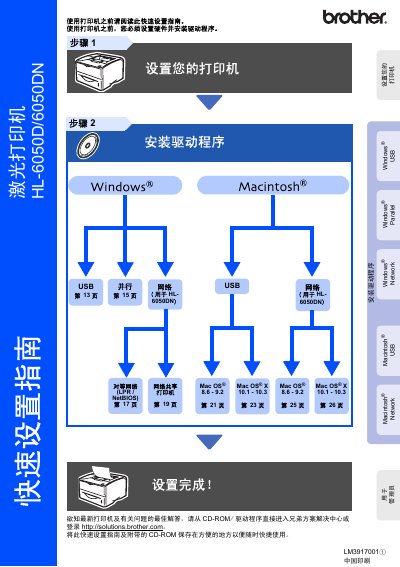
The guide walks you through installing the printer, connecting it via USB, Parallel or Network, and configuring the initial driver software from the supplied CD‑ROM or Brother Solutions Center. It also covers safety precautions, such as proper grounding and avoiding contact with internal laser components.
Additional sections explain the control panel functions, basic troubleshooting steps, and optional accessories that can be added to enhance performance. Packaging and shipping instructions are included for safe transport and replacement of the unit. This manual is written in Chinese.
| Laser wavelength | 760‑810 nm |
|---|---|
| Laser safety class | Class 1 |
Use the LAN port on the printer and configure the network settings as described in the guide.