
OptiPlex 5055 Small Form Factor Quick Start Guide
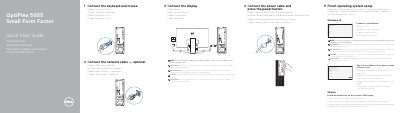
The Dell OptiPlex 5055 SFF quick start guide gives multilingual setup steps for the computer. It covers connecting the keyboard and mouse, optional network cable, display, and power cable, then pressing the power button. It notes that if a discrete graphics card was ordered, the display should be connected to that card.
The guide then describes finishing operating system setup for Windows 10 or Ubuntu, including connecting to a network and signing in to a Microsoft account or creating a local account. It also lists Dell app support through SupportAssist, names numbered features 1 through 21, and provides Dell support, contact, and regulatory links. The computer model is OptiPlex 5055 SFF; the regulatory model is D11S and the regulatory type is D11S003.
| Optical drive | Optional |
|---|---|
| USB 2.0 port | PowerShare supported |
| USB 3.1 Gen1 ports | Present |
| PS/2 keyboard port | Present |
| Serial port | Present |
| Memory card reader | Optional |
| Network port | Present |
| Kensington security cable slot | Present |
Dell lists Dell.com/support and Dell.com/support/manuals for product support and manuals.
Connect the display to the discrete graphics card.
Enter the password for the wireless network access when prompted.
Follow the instructions on the screen to finish setup.