
Setup instructions for a Dell computer, including how to connect a keyboard, mouse, monitor, modem, and network device.
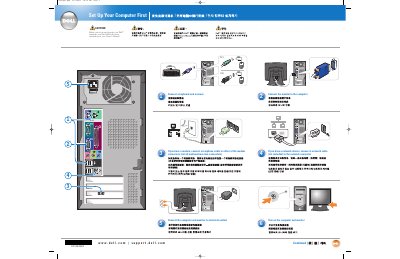
This document provides a step-by-step guide for the initial setup of a Dell computer, including the connection of essential peripherals and power sources.
It outlines the process for connecting a keyboard, mouse, monitor, modem, and network devices, and directs users to the Owner's Manual for further detailed instructions.
Connect a keyboard and mouse, then connect the monitor.
Turn on the computer and monitor.
See your Owner's Manual for additional setup instructions, including how to connect a printer.