
Quick Start Guide for Dell Venue 8 Tablet.
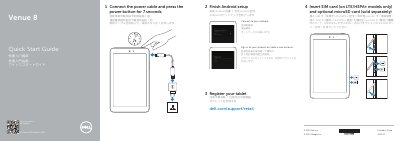
This Quick Start Guide explains how to prepare the Dell Venue 8 tablet for use. It covers inserting a SIM card on LTE/HSPA+ models, adding an optional microSD card sold separately, connecting the power cable and holding the power button for 7 seconds, and completing Android setup by signing in to an account and connecting to a network.
The guide also lists product support and manuals links, regulatory model information, and the tablet's features, including cameras, sensors, ports, buttons, card slots, speaker, microphone, and service tag label.
| Regulatory model | T02D |
|---|---|
| Regulatory type | T02D003, T02D004 |
| Tablet model | Venue 8 LTE/3840, LTE/3840 HSPA+/3840 |
| Power button press duration | 7 seconds |
| SIM-card slot | LTE/HSPA+ models only |
| microSD card | Sold separately |
| Volume buttons | 2 |
Insert the SIM card on LTE/HSPA+ models only, and insert the optional microSD card, which is sold separately.
Connect the power cable and press the power button for 7 seconds.
Finish Android setup by signing in to your account or creating a new account, then connect to your network.
Support and manuals are available at dell.com/support and dell.com/support/manuals.