
Dell Latitude 3590 Laptop Quick Start Guide

The Dell Latitude 3590 Quick Start Guide provides an overview of the product's features and functionality.
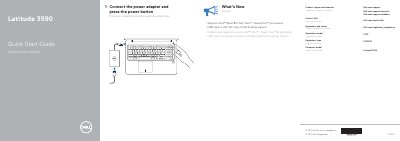

Dell Latitude 3590 Laptop Quick Start Guide - cover page
Brand
DELL
Category
Laptops
Document type
Quick Start Guide
Language
English
Pages
2
File format
PDF
File size
90 KB
Published
26 November, 2023
Updated
26 November, 2023
MD5 checksum
9560FB3DCEA32F58EE4D31B25F8E9C89

About this manual

The Dell Latitude 3590 Quick Start Guide provides essential instructions for starting the device and identifying its hardware components.

This document outlines the initial power-on process and provides a detailed map of the laptop's ports, buttons, and integrated features.

What's inside

  • What’s New
  • Features

Specifications

ProcessorIntel 8th Gen Core i Quad Core

Frequently asked questions

How do I start the Dell Latitude 3590?

Connect the power adapter and press the power button.

What is the regulatory model for the Dell Latitude 3590?

The regulatory model is P75F.

What is the regulatory type for the Dell Latitude 3590?

The regulatory type is P75F001.

What processor does the Dell Latitude 3590 support?

It supports Intel ® latest 8th Gen Core™ i Quad Core™ processors.

Download PDF (90 KB)

More DELL Manuals


View all DELL manuals →