
This document describes the components and functions of a Lenovo desktop computer.
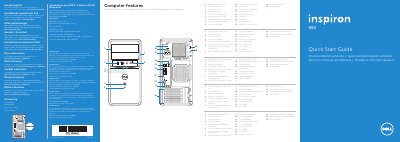
This Quick Start Guide for the Dell Inspiron 660 desktop computer (regulatory model D11M, type D11M002) identifies the computer's features with a numbered diagram, including optical drives, USB 2.0 and USB 3.0 ports, an 8-in-1 media-card reader, HDMI, VGA and audio ports, and expansion card slots.
The guide walks through initial setup: connecting the keyboard and mouse, optionally connecting a network cable, connecting the power cable and pressing the power button, connecting a display via VGA, DVI, HDMI or DisplayPort, completing Windows setup, and enabling security. It also lists NOM regulatory information for Mexico and directs users to dell.com/ContactDell for support. The text is printed in English, Czech, Hungarian, Polish and Slovak.
| Regulatory model | D11M |
|---|---|
| Input voltage | 115/230 VAC |
| Maximum input current | 7.0 A/4.0 A or 6.0 A/2.1 A |
| Input frequency | 50 Hz to 60 Hz |
| Media card reader | 8-in-1 media-card reader |
| Expansion card slots | 4 |
| Optical drives | 2, with eject buttons |
The guide shows VGA, DVI, HDMI and DisplayPort connection types, with DVI-VGA and HDMI-DVI adapters optional.
If the computer was ordered with an optional discrete graphics card, connect the display to the connector on that card.
For sales, technical support, or customer service issues, go to dell.com/ContactDell.
The setup steps include completing Windows setup, and the guide describes scrolling tiles in Windows 8.